
- Befriending & Social Clubs
- Digital Support & Inclusion
- Our Partners & Impact
BRIDGING THE DIGITAL GAP IN HARBOROUGH DISTRICT
Helping you build the skills, confidence, and independence to enjoy the digital world.
Technology moves fast, but no one should be left behind. The Community Champions Digital Inclusion project gives older people equal opportunities to enjoy the massive benefits of going online. Whether you are a complete novice who has never switched on a computer or someone who just wants help troubleshooting a specific smartphone problem, our friendly service is here to support you at your own pace.
Our patient, specially trained digital volunteers, break things down into small, manageable pieces. We can help you master everything from texting family and sending photographs to managing online banking, exploring family histories, and securely navigating your doctor’s website. There is absolutely no charge for this service, which is proudly funded by the National Lottery Community Fund.
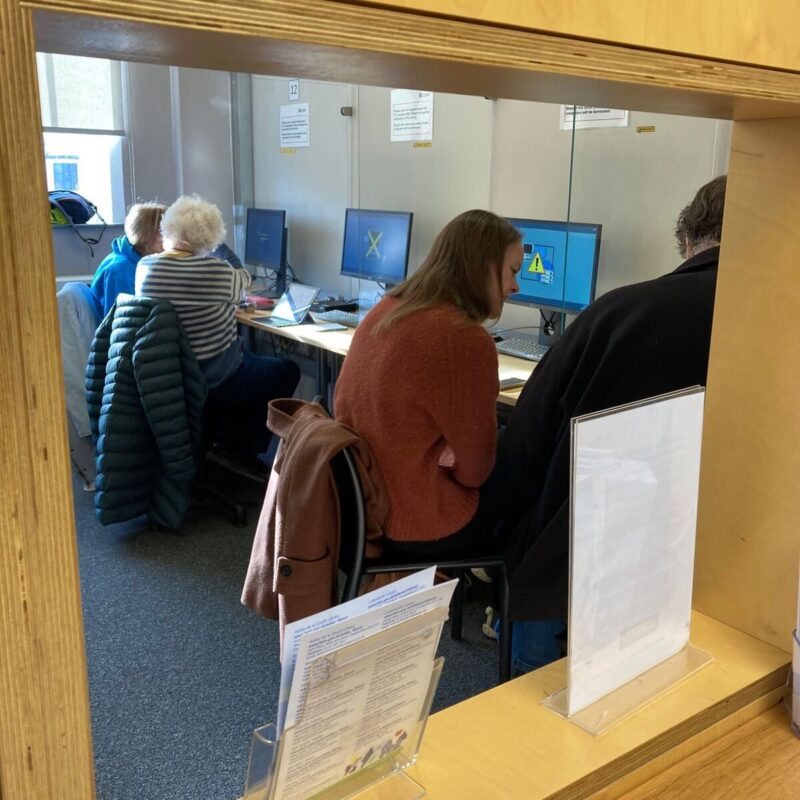
Everyday Devices
Friendly assistance with smartphones, tablets, laptops, PCs, and even smart TVs—working on your own device at a speed that suits you.
The NHS App
Learn how to register for and navigate the NHS App, allowing you to order repeat prescriptions, check test results, and book appointments easily.
Staying Safe Online
Master online security basics, including how to spot scams, set strong passwords, and safely navigate two-factor authentication.
Library Drop-in Sessions
Join us on the first Wednesday morning of each month at Market Harborough Library for a relaxed, face-to-face support session.
Free Home Visits
Text: If you use a desktop computer or find it difficult to travel, our digital volunteers can visit you right in the comfort of your own home.
Broadband Social Tariffs
We can help you check your eligibility and apply for heavily discounted 'essential' broadband packages to lower your monthly bills.
DIGITAL RESOURCES & ADVICE
Devices, Learning, & Support
We know that taking your first steps online can feel daunting, which is why our service is designed to move entirely at a speed that suits you. Every client is different, and our patient volunteers are here to support you every step of the way.
- How We Support You: Depending on what you find easiest, our digital volunteers can meet you at our monthly library drop-ins or visit you right in the comfort of your own home—which is especially helpful if you use a desktop computer or find it difficult to travel.
- Learning at Your Own Pace: Our volunteers are happy to visit a couple of times just to refresh your memory, or sit with you for a number of weeks to cover the absolute basics, starting with how to safely switch your machine on.
- Accessible Technology: If you are looking to purchase a new device, we can give you impartial advice on older-user-friendly tech like Doro smartphones, Facebook Portals, Amazon Echo Shows, or Komp one-button computers.
Real Stories From This Service:
“It has been so helpful to me as K was happy to break things down into small pieces and go over them several times as needed.” — Digital Client
“The session with Tony was very useful and my new phone is up and running. His enthusiasm and persistence was very impressive.” — Digital Client
If you are looking to purchase a new device to stay in touch with family, there are several wonderful options on the market designed specifically with older users in mind. We can help you choose and set up:
- Doro Smartphones: Feature simple layouts and excellent accessibility features for people with sight, hearing, or sensory issues.
- Facebook Portal: Ideal for high-quality, one-touch video calling with relatives via Messenger or WhatsApp.
- Amazon Echo Show: Uses voice commands through Alexa, making it an excellent hands-free solution for your home.
- Komp: A wonderful one-button computer that does not use a touchscreen, making it perfect for absolute beginners to receive photos and calls automatically.
There are fantastic independent resources available online to help you continue practicing your digital skills safely:
- 🌐 Ofcom Broadband Social Tariffs: Access the official Ofcom list to filter and find cheap, basic broadband packages based on the benefits you receive.
- 🌐 Age UK Online Guides: A brilliant series of simple, written articles designed specifically to help older adults develop internet and tablet confidence.
- 🌐 Royal Voluntary Service – Virtual Village Hall: Features fantastic technology skill-building videos prepared by the experts at AbilityNet.
Our Digital Volunteers receive additional, specialised training. This looks closely at the distinct ways that adults learn, how to stay completely safe online, the most popular programmes and applications people use, and clear boundary setting.
Here is a look at what our volunteers look forward to helping you with:
“She has mastered texting, and I have left her practicing her photographic techniques. She can also send photos to friends and family now.” — VASL Volunteer
A BBC article about devices that allow video calling.
A series of written articles from Age UK, which can help you to develop your skills.
Social tariffs are cheaper broadband and phone packages for people claiming Universal Credit, Pension Credit and some other benefits. Some providers call them ‘essential’ or ‘basic’ broadband. The link takes you to the Ofcom list of providers.
This link takes you to a very useful list of providers, and you can filter it to match the benefit you receive or the length of contract you want.

How to use Zoom on a Smartphone or Tablet

How to Use Zoom on a Computer or Laptop

Helping older people make the most of the internet

Community Champions and Community Wellbeing Harborough are funded by the National Lottery Community Fund
Resource Box
Download our essential service leaflets and guides to learn more about accessing support or taking your first steps to become a volunteer.
What our clients say:
Contact Us
- Available across Harborough District
- 01858 439 262
- champions@vasl.org.uk
-
Community Champions
VASL, Torch House
Torch Way
Market Harborough
LE16 9HL